

Goal
The goal for this project was to recreate the slicing mechanic from the game Metal gear rising revengeance with our own game engine (BGGE) in c++. One of Metal gear rising revengeances core features is that you can slice almost anything in the game with your sword. I though this was one of the most fun and interesting gameplay mechanics I had seen so I wanted to try to recreate it my self.
I also wanted all the slicing algorithms to be in a seperate library that had no special dependicies. So that anybody could use it without needing our engine. This added some extra complexity, for example the library had to have its own Mesh, Vector and Matrix classes.
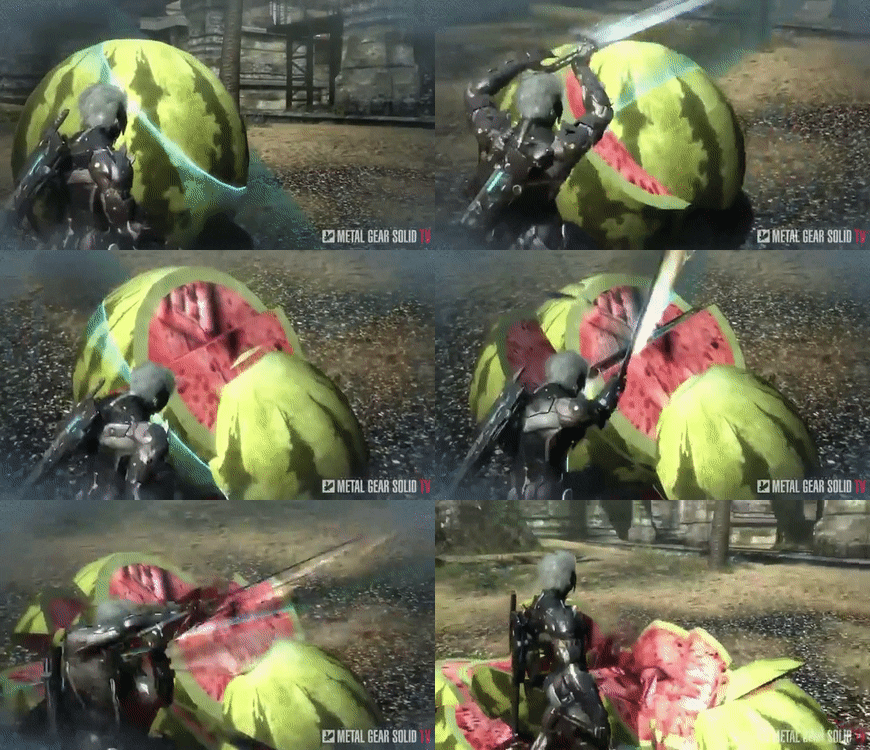
Slicing in Metal gear rising revengeance. steam link
Slice visualizer
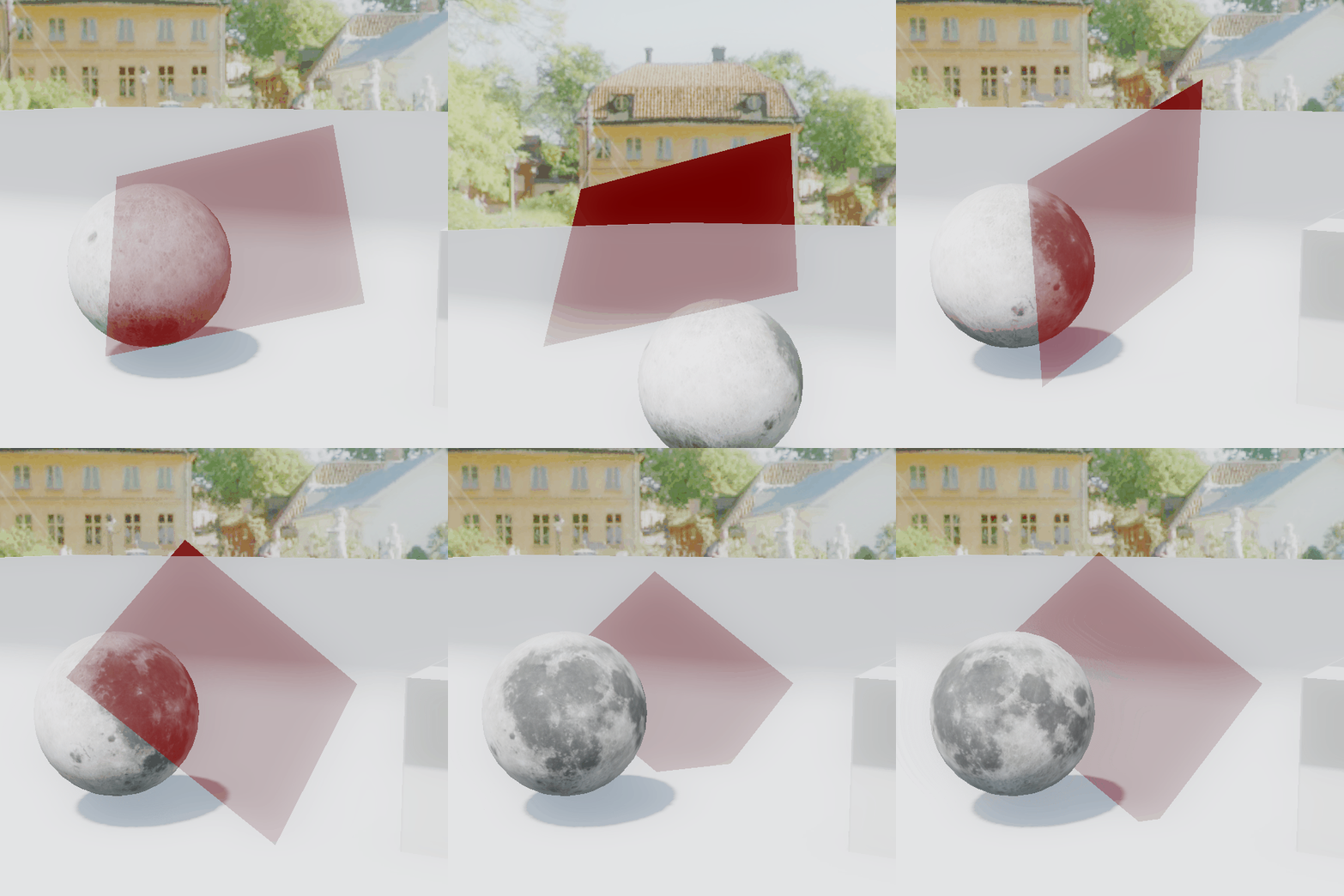
The first thing I needed was something to indicate where the cut was going to be. For that I created a simple transparent red plane that was attached to the front of the camera. The plane can be scaled and moved back and forth by scrolling. The plane can also be rotated with the numpad. The plane stores a normal direction and a center point.
Sorting triangles
The first step I took towards slicing the mesh was sorting the triangles into two meshes based on if it was to the left or right side of plane. To do this I simply looped through all the triangles creating vectors from the planes center to the verticies in the triangle. Then taking the dot product of these vectors with the planes normal and checking if its positive or negative. If all verticies were on the same side the triangle is put into that sides mesh. The triangles who did not have all its verticies on one side are intersecting the plane and need to be split along the plane, which is the next step.

Splitting triangles
To have a nice straight edge along the plane I needed to split the triangles intersecting the plane. The first step to do this was finding where along the triangles edges the plane intersected it. For this I just did a ray plane intersection where the ray is created beteen two vertecies in the triangle. And because I know what vertex is on wich side of the plane I know that I need to create rays from the alone vertex to the other two. The next step was actually creating triangles. They way I did it was by checking which vertex in the triangle is on one side. Then based on that you can figure out the order of the indicies. Because based on what vertex is alone the indice order will always be the same for that scenario.
Fill the hole
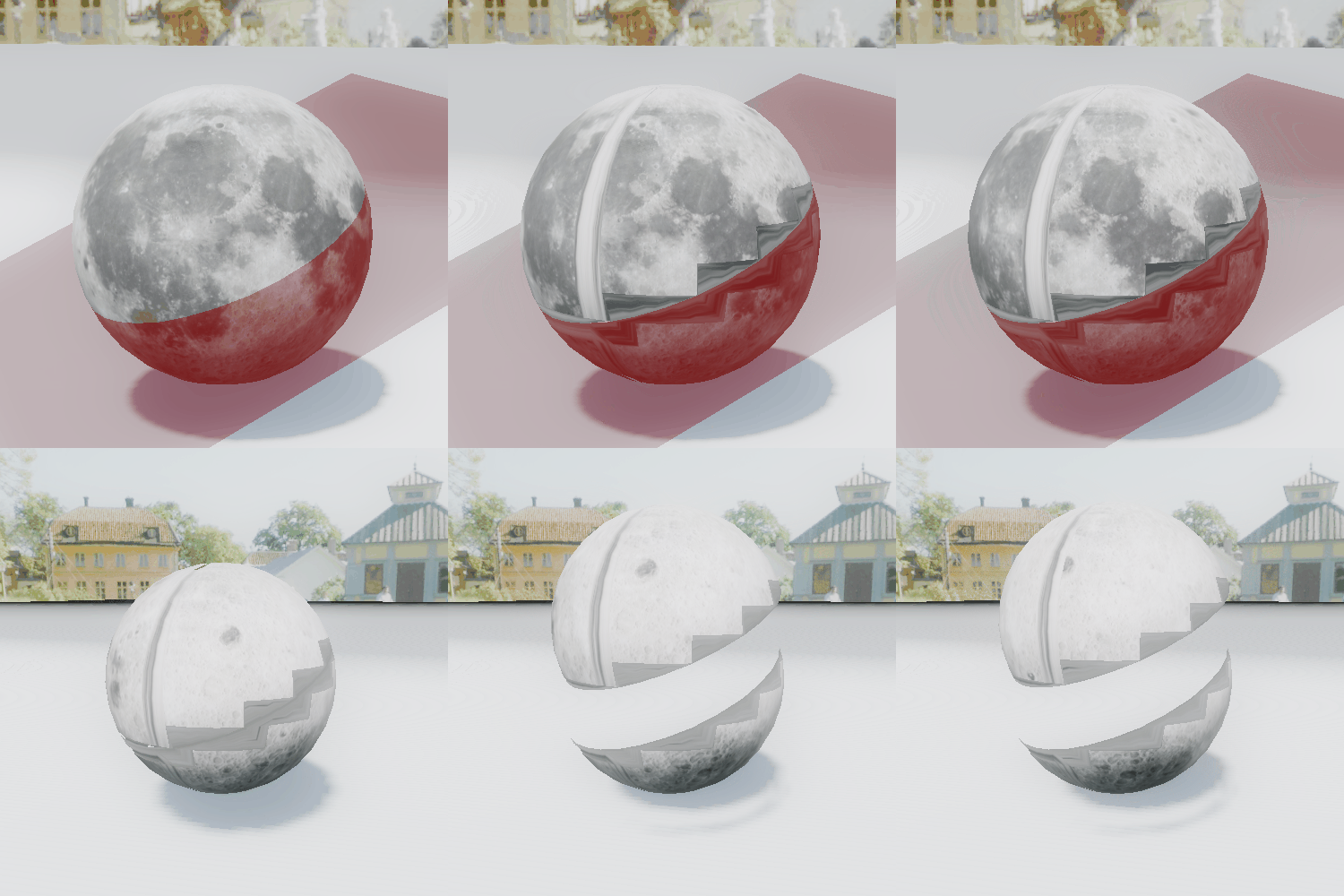
Now that I had a nice sliced mesh with a straight edge the next step is filling the hole left where I cut. To do this I just needed to triangulate the newly created verticies.
My current method is finding the middle point between the edge verticies and then creating triangles between the edge and that middle point. For this I also needed the edge verticies to be in order. For that I came up with an algorithm that starts with picking a random vertex as a starting point. Then it picks the closest vertex to it, makin a triangle with the center vertex. Then that newly choosen vertex creates a triangle with its closest vertex. Continuing this pattern until you go around the entire edge.
This method looks good there are some edge cases where it can leave gaps in the surface.

Physics with physx
Now that the mesh gets sliced correctly the next step was creating colliders and adding physics to the new meshes. This was done very easily in my case, because we had already implemented support for physx in our engine. All I had to do was let Physx cook a convex mesh for the collider then add a rigidbody component with that shape to the object.

Complex meshes
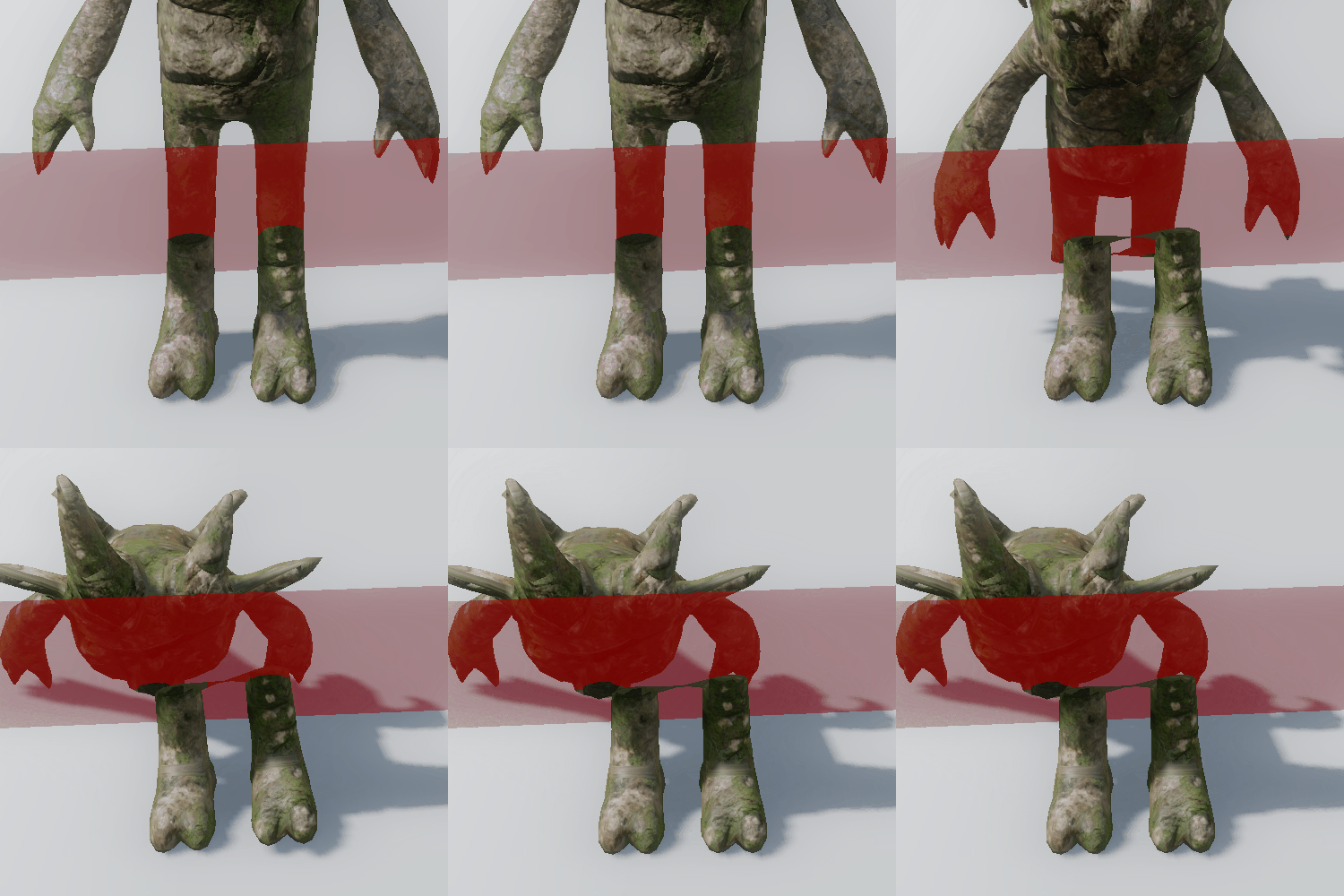
For simple meshes what I had now worked very well, but I found that if you slice a more complex mesh things could look strange. In particular I did not like how slicing the legs on a humanoid mesh kept the legs as the same mesh.
To solve this i needed som way of detecting what triangles where attached to eachother. First I went with checking if the indices were connected but a mesh often has more than one vertex on one spot to have more normals and uvs there. This caused the whole mesh to explode into hunderds if pieces. So I swithed to just checking if the triangles vertex postions were the same. This worked but had the unintentional outcome of seperating all elements like eyes and other parts that were not the same mesh into seperate objects.
Before

After
Future improvements?
First thing I want to do is to try triangulating the holes with a different algorithm called ear clippings which seems to work much better for what i want.
Second thing I want to do is fix the uvs and normals on the newly created verticies not being correct causing the texture to look wierd and the lighting to not get calculated correctly.
Third thing is uv mapping a new texture to the verticies on the inside of the hole. For example the first gif from metal gear rising revengance you can see they have a seperate texture on the inside compared to the outside of the mesh.
I also have a lot of ideas for optimization. For example mutlithreading, saving large portions of the previous mesh and converting the algorithms to use faces instead of triangles.
After thoughs and what I learned
From this project I learned a lot about planning and keeping a deadline.
I learned about developing a system where everything has to be built with perfomance in mind.
 Adrian Bjurström